Start with the work, the amount, and the due date
An invoice asks a customer to pay for goods or services. A useful service invoice answers three questions quickly: what was provided, how the amount was calculated, and when and how to pay. Give it a unique number so both you and the customer can find it again.
Before you create the document, gather the agreed scope, the customer’s billing details, your rates, and any relevant payment agreement. Writing the invoice is easier when you are recording an agreement instead of deciding the terms after the work.
What to put on the invoice
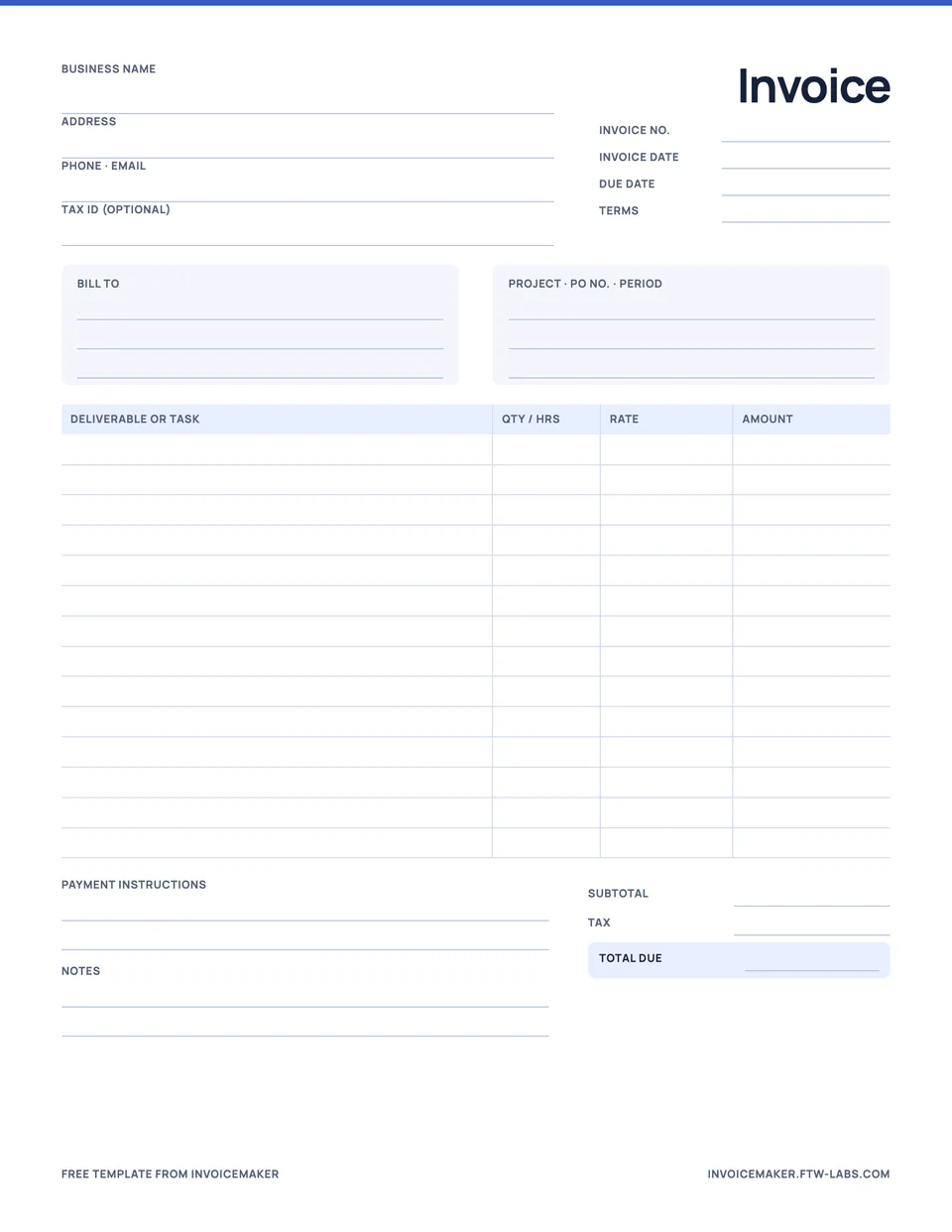
- Your business details. Include your business name and the contact details the customer needs.
- The customer’s billing details. Check the name and address against their instructions, especially when the person receiving the invoice is different from the person who ordered the work.
- An invoice number and date. Use a consistent numbering sequence and the correct issue date.
- A description of the work. Itemize services and materials. Use quantities and rates where those explain the total.
- Adjustments and total. Review any discount or applicable tax details and make the currency clear.
- The payment due date and details. State the agreed timing and the payment method the customer should use. The payment terms guide has wording you can copy.
- Useful notes. Include a job or project reference, purchase order reference if requested, and any information that helps the recipient match the invoice to the work.
Prefer a printable form? There are free invoice templates for contractors, cleaners and freelancers. Required invoice fields vary by location, business type, and transaction. This is a practical writing checklist, not a claim that one template meets every local requirement.
A worked service invoice example
Invoice INV-104 · issued 8 September 2026
From: Northline Studio
To: Willow House
Due: 22 September 2026
Design consultation: 3 hours × $75 = $225
Project drawings: 1 × $300 = $300
Total due: $525 USD
Payment note: “Please use INV-104 as your payment reference.” Example businesses and amounts; no tax included.
The calculation is easy to audit: $225 plus $300 equals $525. If the customer has already paid a deposit, show it as a received payment and keep the amount still due separate from the original invoice total. See how to record a partial payment.
How to make an invoice on iPhone or Android
- Start a new invoice. In InvoiceMaker, tap Create invoice on the Overview screen.
- Choose the client. Pick a saved client, import one from your contacts, or type new details.
- Add the work. Add services from your catalog or type a new line with a quantity and rate.
- Set the terms and due date. Choose Due on receipt, Net 7, Net 14 or Net 30, enter the due date, then add your payment details and any tax or discount.
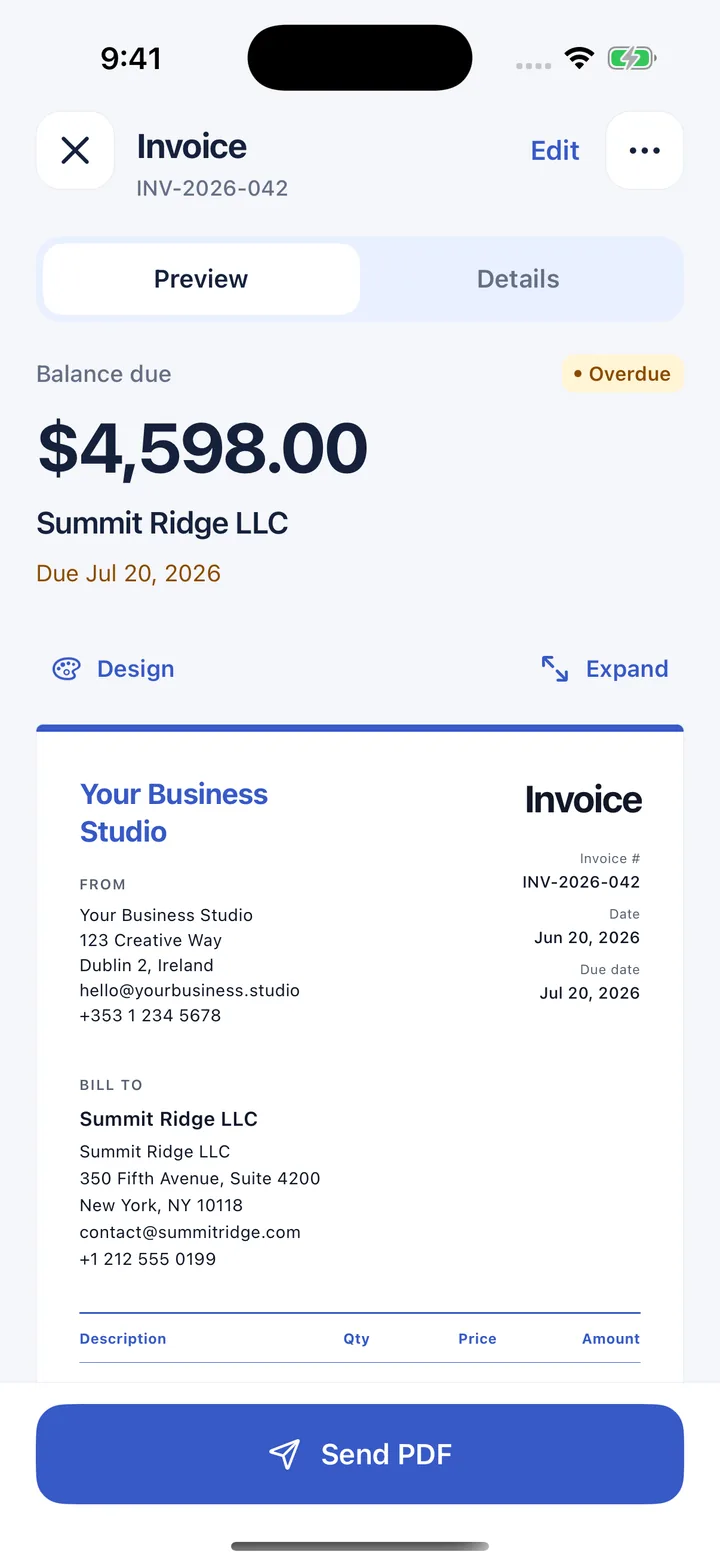
- Check the PDF. Read the preview the way your customer will see it: client, numbers, due date and payment details.
- Send it. Tap Send PDF and pick Mail, Messages or another app on your phone.
The same flow works on iPhone, iPad and Android. You are sharing a PDF, so the customer doesn’t need InvoiceMaker to read it.
What to say when you send it
Subject: Invoice INV-104 for your design project
Hello,
Please find invoice INV-104 attached for the agreed design work. The total is $525 USD, due on 22 September. Please use the invoice number as your payment reference. Let me know if you need any details clarified.
Thank you.
Attach the PDF, verify the recipient, and check that the amount and due date in your message match the document. Keep the tone direct and helpful.
After you send it
Track the invoice as outstanding until you confirm payment. Record the amount when it arrives and send a receipt if needed. If the work has only been proposed and is not ready to bill, an estimate may be the right starting document instead.
Questions
How do I make an invoice on my iPhone?
Install InvoiceMaker, tap Create invoice, choose or add the client, add your services, and set the payment terms. Check the PDF preview, then tap Send PDF to share it by email or message.
Do I need an invoice number?
Use one. A unique number lets you and your customer refer to the same document, match payments to it, and find it at tax time. InvoiceMaker numbers documents automatically and lets you set your own prefix.