
Turn a payment into a clear record
A receipt tells your customer what they paid, when they paid it, and what the payment was for. InvoiceMaker creates receipts on your phone and lets you preview the PDF before sharing it. You can also record a payment against an invoice so the remaining balance reflects what you have received.
This is a manual record of payment. Confirm the money has arrived through your chosen payment method before recording it. Creating a receipt does not charge a card, move money, or verify a bank transfer.
What to include on a payment receipt
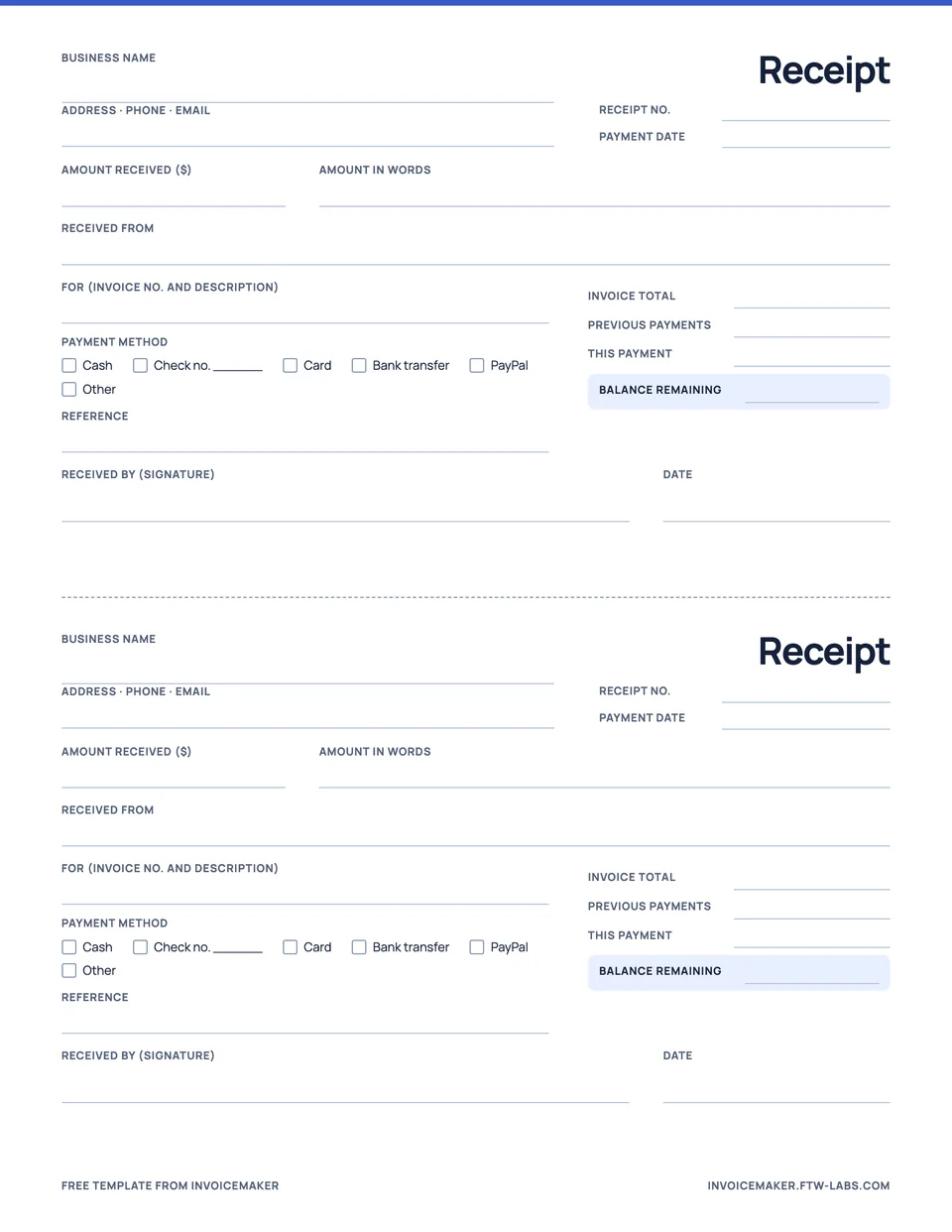
- Your business name and contact details.
- The customer’s name and relevant billing details.
- A unique receipt number and the payment date.
- A description of the goods, services, or invoice being paid.
- The amount received and its currency.
- The payment method and any useful reference.
- The remaining balance when the payment covers only part of an invoice.
Keep the description specific. “Payment toward invoice INV-104 for office painting” is easier to reconcile later than “payment received.”
A receipt for a partial payment
Sample payment record
Invoice INV-104: $525
Payment received: $200
Payment method: bank transfer
Remaining balance: $325
The receipt records the $200 received. It does not say the entire $525 invoice has been paid.
A partial payment needs that distinction. Otherwise the customer may read the receipt as confirmation that nothing remains due. Our partial payment guide shows how to keep the original total, received amount, and balance clear.
Make and send a receipt in InvoiceMaker
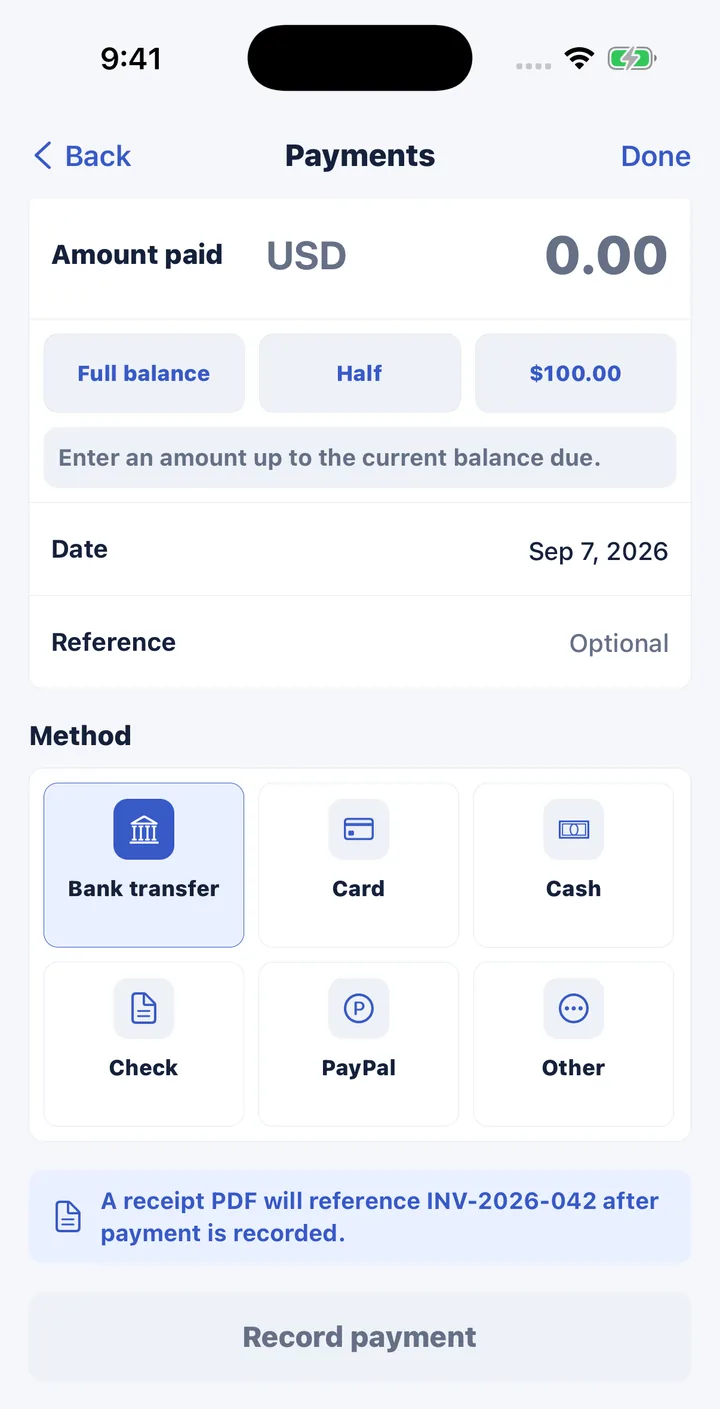
- Open the invoice that was paid and tap Record payment, or create a standalone receipt for a payment taken on the spot.
- Choose Full balance or Half, or type the amount you received.
- Pick the method: bank transfer, card, cash, check, PayPal or other. Add the date and a reference if you have one.
- Save the payment. The invoice balance updates and the receipt PDF references the invoice number.
- Preview the receipt and send it from your phone’s share sheet.
New to receipts? The guide to how to make a receipt covers what to include for cash, check and card payments, and the payment receipt template is ready to print.
Receipt or paid invoice?
An invoice requests payment; a receipt acknowledges payment. A fully paid invoice can show that its balance is settled, while a separate receipt gives the customer a focused payment record. Use the document that clearly represents the event you are recording.
For a side-by-side explanation, read invoice vs receipt. If you are still preparing the bill, start with how to write an invoice.
Questions
Can I make a receipt for a cash payment?
Yes. Record the payment, choose Cash as the method, and add a reference if you use one. Count the money before you record it, since the receipt confirms you received it.
Is a receipt linked to the invoice it pays?
When you record a payment against an invoice, the receipt PDF references that invoice number and the invoice balance updates, so the two documents always match.