
An estimate that sets out the work
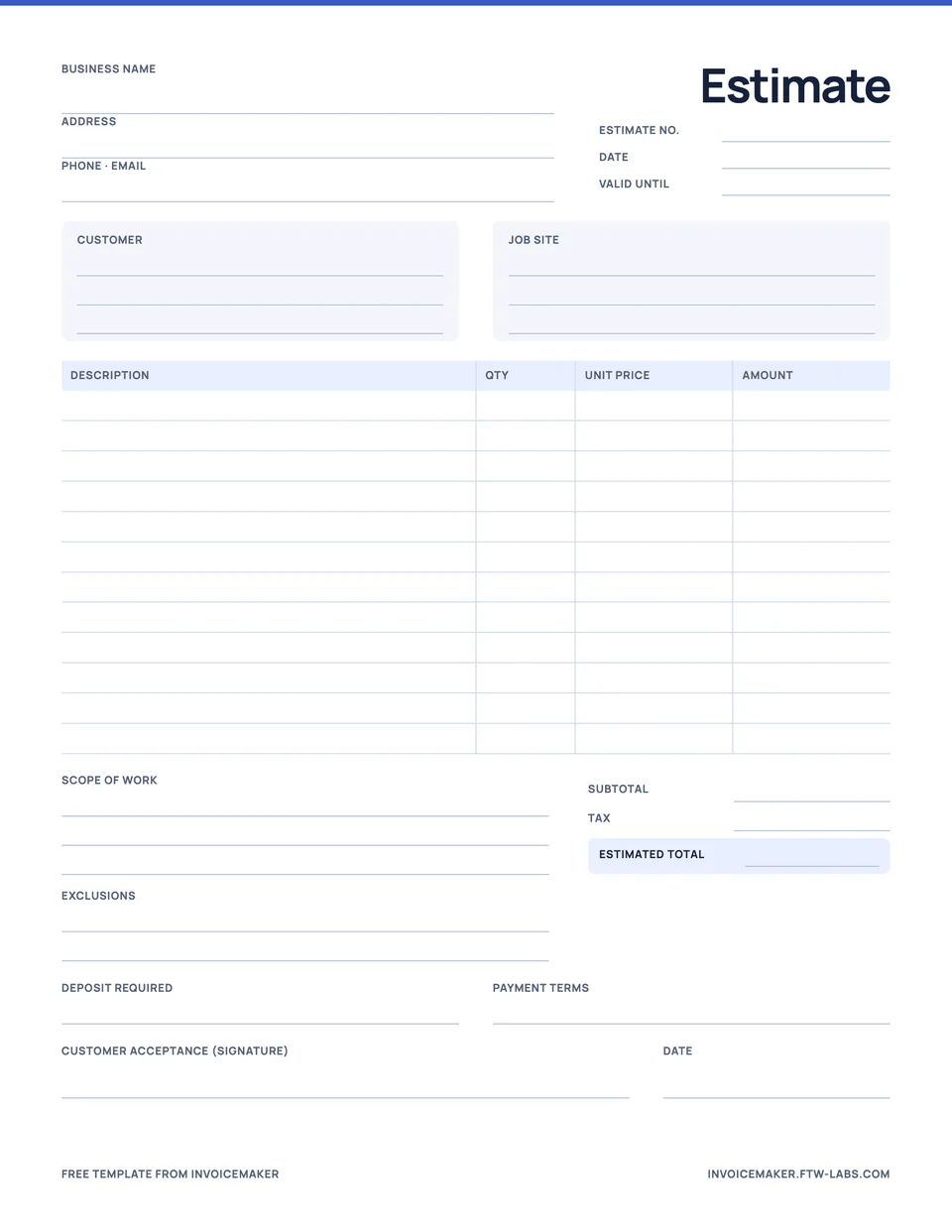
A good estimate gives your customer something concrete to review: what you plan to do, the expected cost, and what is included. InvoiceMaker lets you create that document on your iPhone, iPad, or Android phone using saved client and service details, then preview and share a PDF.
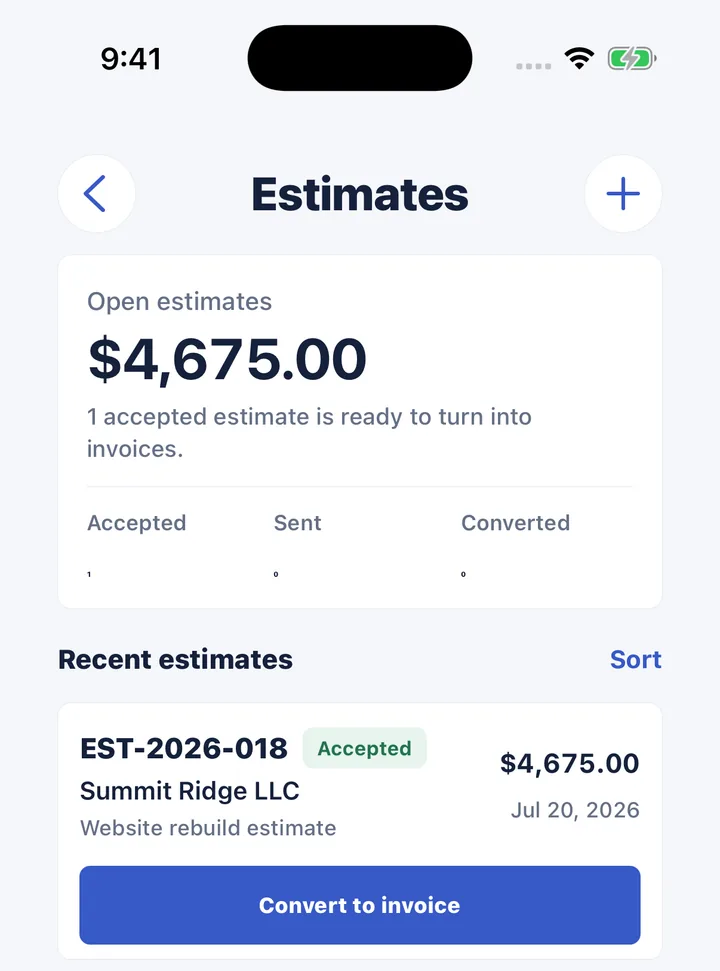
Use an estimate for a proposed job before it is ready to bill. When the customer accepts the work, you can mark the estimate accepted and convert it into an invoice without entering the same items again. Review the invoice before you send it, especially if the scope changed.
What goes into an estimate
- Your business and the customer, with the job location if it differs from the billing address.
- Each part of the work on its own line: labor, materials and other agreed charges.
- Notes on scope, assumptions and anything excluded.
- Any tax or discount, and the estimated total.
The full process, with a worked painting estimate, is in our guide to how to write an estimate. If you’d rather fill one in by hand, download the free estimate template.
A simple work estimate example
Sample project: repaint a home office
Preparation and painting: 8 hours × $55 = $440
Paint and materials: 1 × $85 = $85
Estimated total: $525
Scope note: walls only; ceiling and woodwork excluded. Customer to clear furniture before work begins. Illustrative amounts; no tax included in this example.
The note matters as much as the number. “Paint room” leaves room for misunderstanding; stating which surfaces are included gives you and the customer a shared reference.
Move from estimate to invoice
Keep the accepted estimate as the record of the proposed work. When it is time to bill, use the conversion action, check the items and final quantities, and set the invoice’s due date and payment details. A PDF estimate itself is not a record of payment.
If a customer asks for extra work, agree on the change before adding it to the final invoice. For the difference between each document, see estimate vs invoice vs receipt, and if the customer asked for a fixed price, read estimate vs quote.
Made for small service jobs
Contractors, cleaners, painters, and freelancers often repeat the same basic services across customers. Saved items help keep the description and rate consistent, while the document remains editable for the specific job. InvoiceMaker handles that everyday document workflow; the figures and terms still come from you.
Ready to bill completed work? Use the contractor invoice checklist or follow the invoice writing guide.
Questions
What happens when a customer accepts my estimate?
Mark it accepted in InvoiceMaker. When you’re ready to bill, tap Convert to invoice to create an invoice with the same client and line items, then adjust anything that changed.
Can I reuse the same services on every estimate?
Yes. Save services and products in your catalog with a price, unit and tax rate. Add them to any estimate in a tap and edit the quantity for each job.