What’s on this handyman invoice template
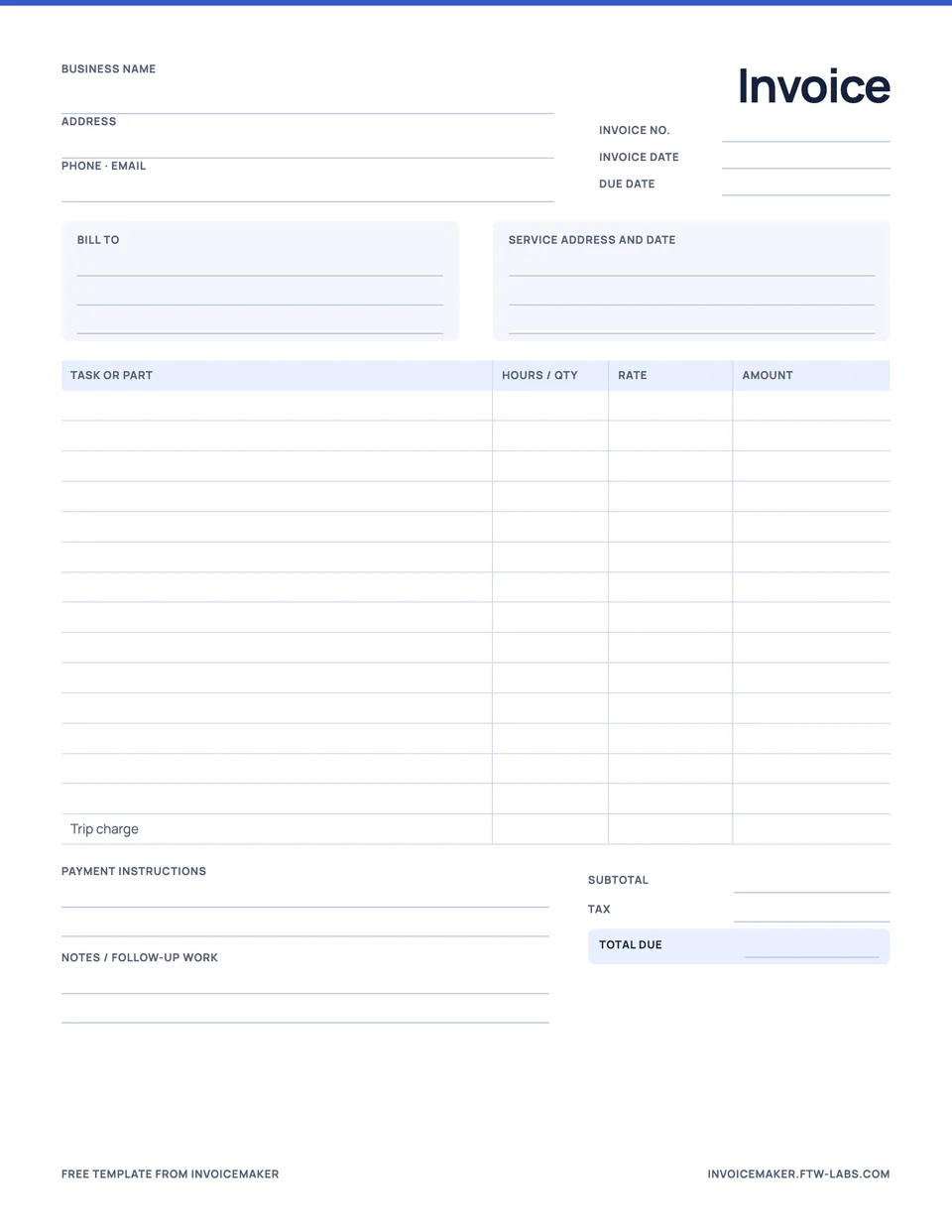
Handyman visits are usually several small jobs in one trip, so this printable invoice is built around a task list. It includes:
- Your business details, invoice number, invoice date and due date.
- The customer’s billing details and the service address with the date of the visit.
- A line for each task with hours and rate, plus lines for parts and supplies.
- A trip charge line, if you charge one.
- Subtotal, tax and total due.
- Payment instructions and a notes box for warranty or follow-up work.
Handyman invoice example
A two-task visit, with one part the customer approved on the day, looks like this. Amounts are illustrative, with no tax.
| Description | Qty | Amount |
|---|---|---|
| Mount TV and hide cables | 2 h × $70 | $140.00 |
| Replace bathroom faucet | 1.5 h × $70 | $105.00 |
| Faucet (customer approved) | 1 × $89 | $89.00 |
| Trip charge | 1 × $35 | $35.00 |
Service date 26 October 2026 at 42 Birch Avenue. Thank you for your business.
Each task is its own line, so the customer can see that the TV took two hours and the faucet took one and a half. The faucet itself is listed separately at cost, and the trip charge is visible rather than folded into the hourly rate.
How to fill in the handyman invoice template
- Write the service address and date so the invoice matches the visit, especially for landlords with several properties.
- List each task separately with the time it took. Round consistently, for example to the nearest quarter hour.
- Add parts on their own lines, noting any the customer approved or supplied.
- Include a trip charge only if you mentioned it when booking.
- Total it and add the due date. For small jobs, due on receipt or Net 7 is normal.
Handyman billing tips
- Take payment before you leave. For small jobs, sending the invoice from your phone at the door gets most of them paid the same day.
- Keep a minimum charge. If you have a one-hour minimum, say so on your booking confirmation and invoice the hour.
- Photograph the work. A before and after photo answers most “what did you do?” questions.
- Note follow-up work. “Gutter bracket loose, not fixed” in the notes protects you and may book the next visit.
The InvoiceMaker app saves your hourly rate, trip charge and common parts, so a multi-task invoice takes a minute on your phone. For larger jobs with deposits and materials, use the contractor invoice template.
Questions
Should a handyman invoice include a trip charge?
If you agreed on a trip or call-out charge, put it on its own line so the customer can see it. Mention it when you book the job, since an unexpected fee on the invoice is the quickest way to start an argument.
Can I fill in this handyman invoice on my phone?
The PDF is a printable form. To fill it in on your phone, add the same tasks and parts in InvoiceMaker, which works out the totals and sends a finished PDF.